

Weather Madness
Henry Margusity’s forecast discussions and a community that shares your excitement for the next storm.
Meet Henry and Weather Madness4070 Pro / Every tool, one membership
Make the tools your own: local forecasts, model maps, soundings and radar, all in Pro. Follow the weather yourself, or add your favorite forecasters for their forecasts at your location and communities that share your interest.
4070 Pro / Seven days free
Pick your plan, add your first location and start exploring. Cancel before the trial ends and you pay nothing.
Pro / 01
Start with the regional signal and the date you care about, while keeping long-range limits in view.
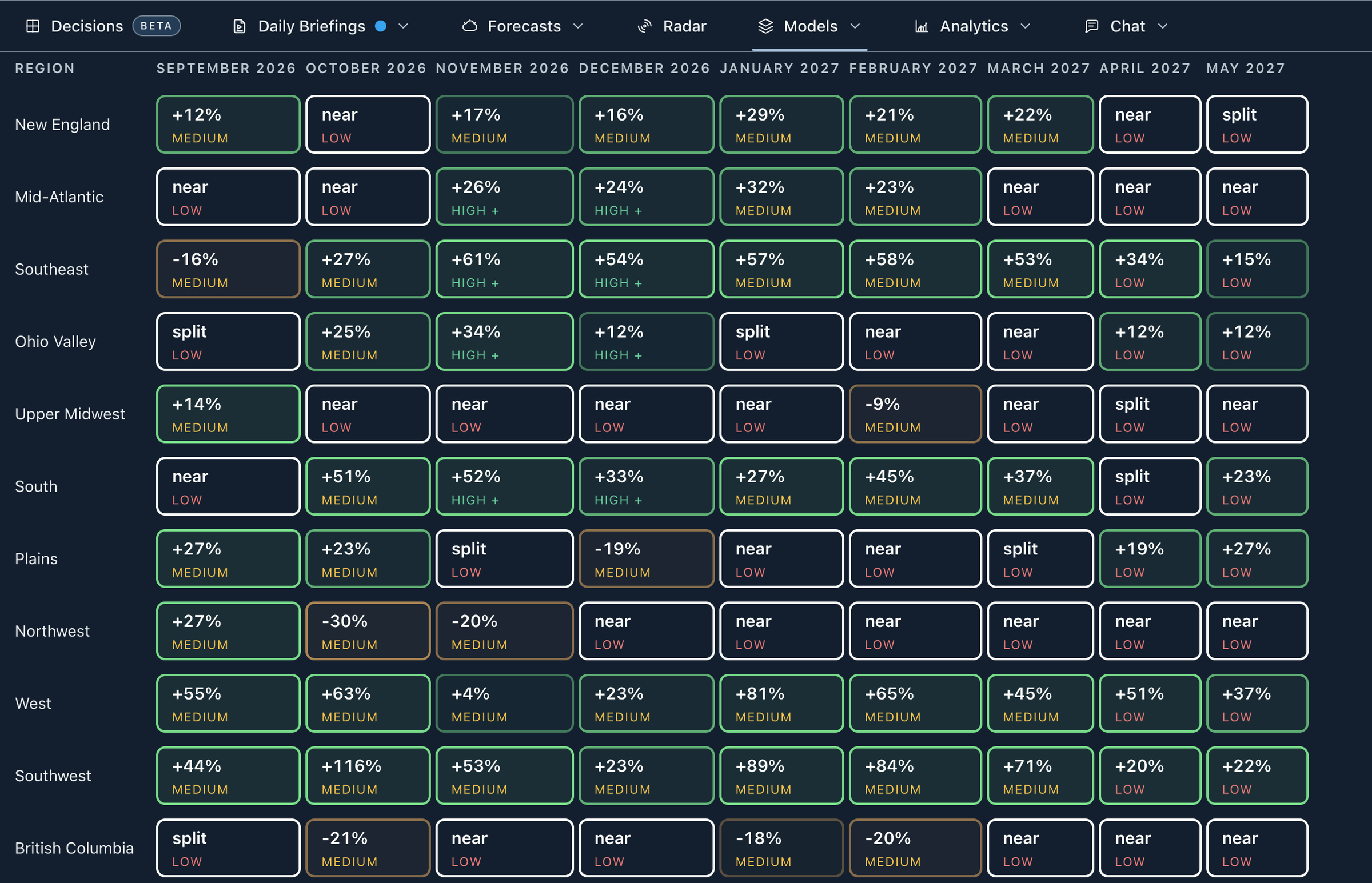
Scan nine months of regional temperature and precipitation guidance, then open any cell for model agreement, confidence and explanation.
Choose a place and date up to nine months out for normals and regional guidance, with daily detail inside 44 days.
See the climate signals shaping the next few weeks and what they could mean for your region.
Follow El Niño, La Niña, AO, NAO, MJO and other drivers through observed history, available projections and typical weather effects.
Read the watch list, compare model disagreements in placement or amounts and see how recent outlooks performed.
Explore experimental regional pattern, snow, freezing-rain and sleet indices. They are not probabilities, event counts or snowfall forecasts.
View supported monthly and three-month snowfall water-equivalent totals and departures. This is liquid content, not forecast snow depth; missing references remain unavailable.
Pro / 02
Keep the forecast, event list, model spread and alerts tied to locations you follow.
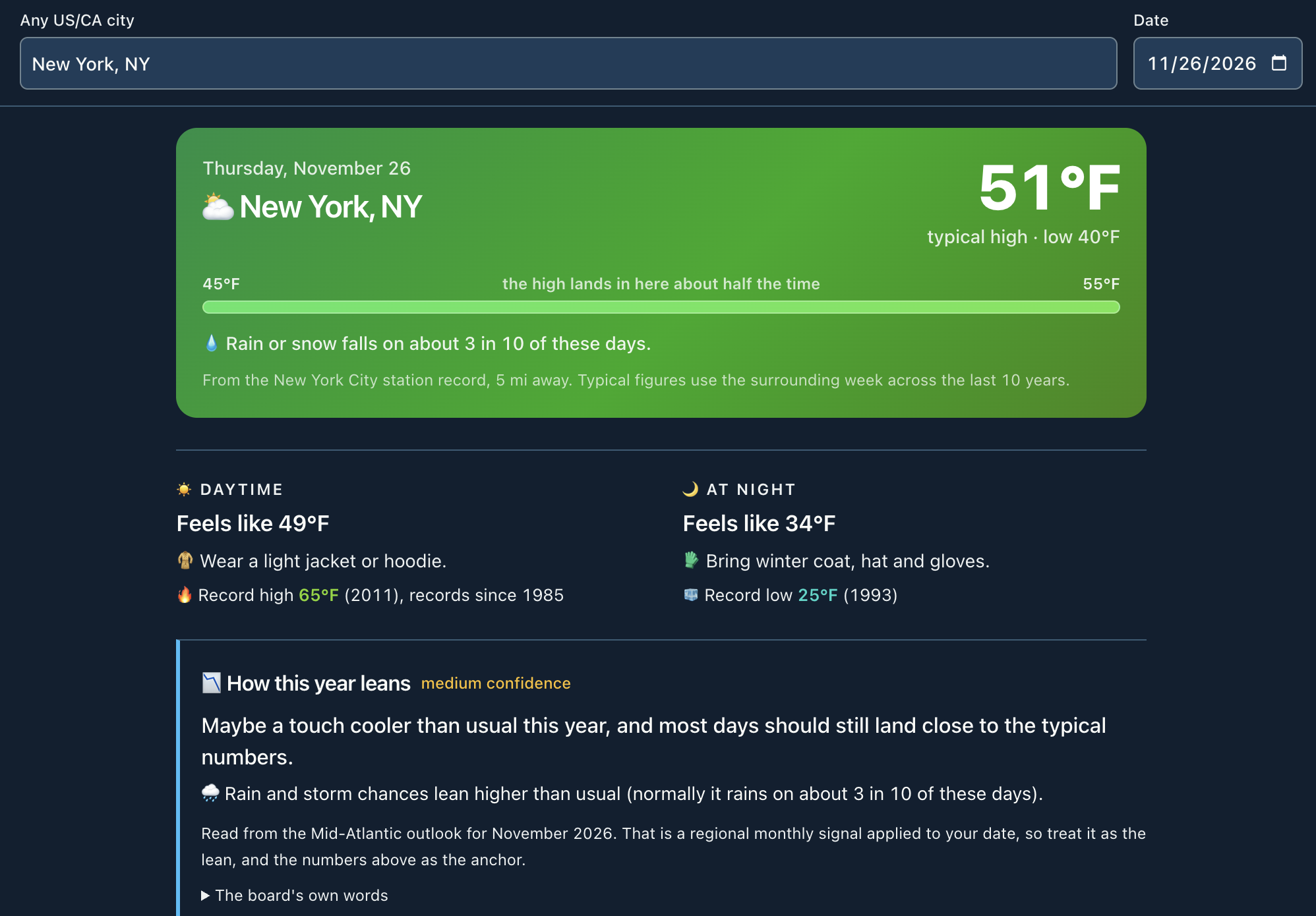
Save locations for daily and hourly forecasts, nearby alerts and radar, with model tools ready for a closer look.
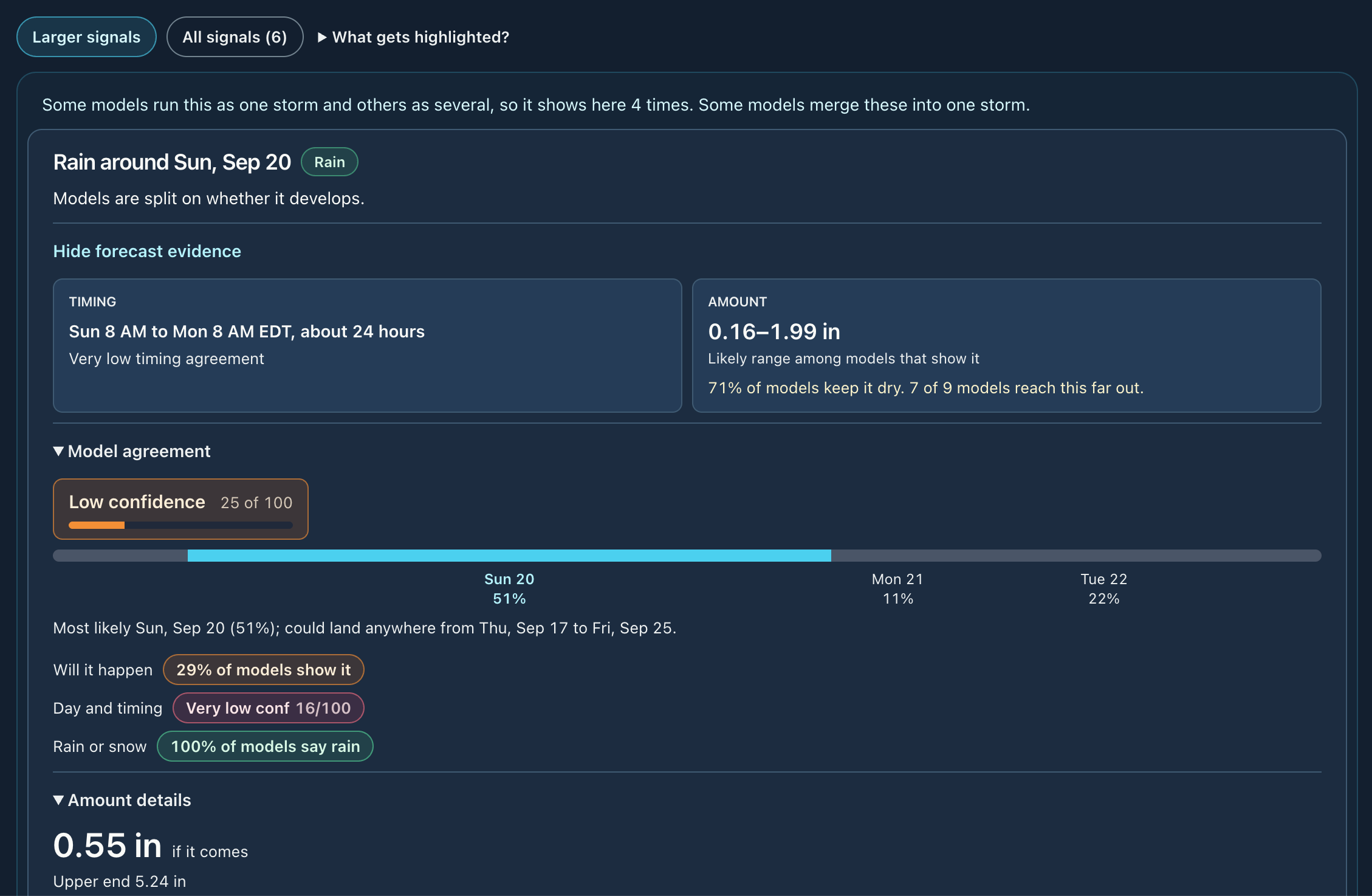
Group modeled rain and snow into events at a saved location for the next 16 days, with timing, ranges and plume evidence. This is not a WDS forecast.
See the possible start window for rain, snow or strong wind in local time, then compare model timelines and open a row for times, amounts or gusts. Model counts are not probabilities.
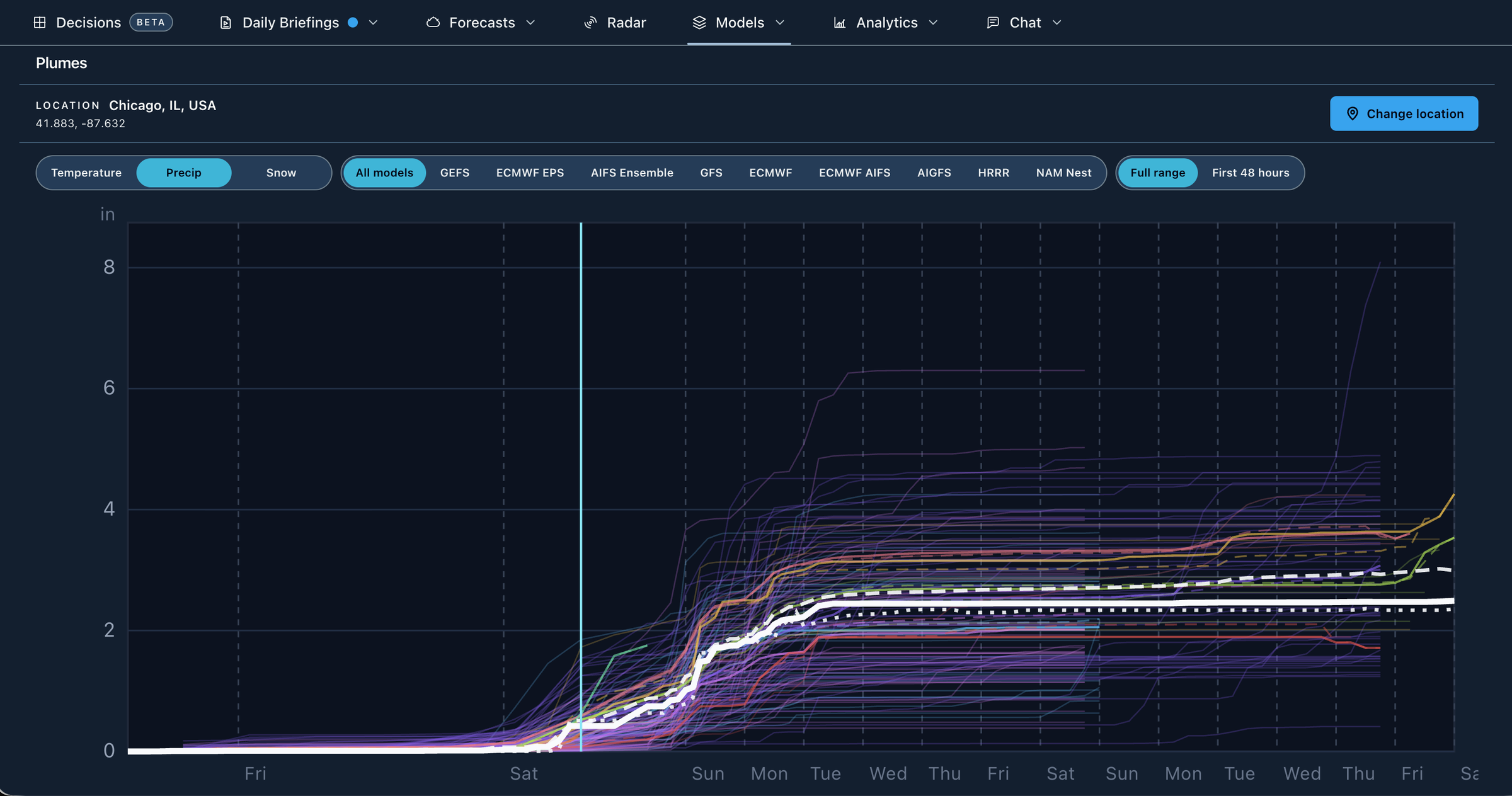
Read hourly temperature, dewpoint, precipitation, wind and gusts at a point, then compare the WDS blend with raw models.
Compare ensemble members and recent-run sets at a US point to see whether an eye-catching result has support.
Follow developing lows through the GEFS and Euro ensembles and the four most recent runs of GFS, GFS AI, Euro, Euro AI and HRRR, with agreement, spread and central pressure. Paths show model support, not a probability or impacts.
Keep weather alerts tied to saved locations, then open the forecast or radar for detail.
From inside Storm Watch, follow a regional model signal or set a personal threshold at a saved place. A saved watch does not imply notification delivery.
Pro / 03
Hold the valid time and point steady while you inspect runs, fields and the atmosphere above the map.
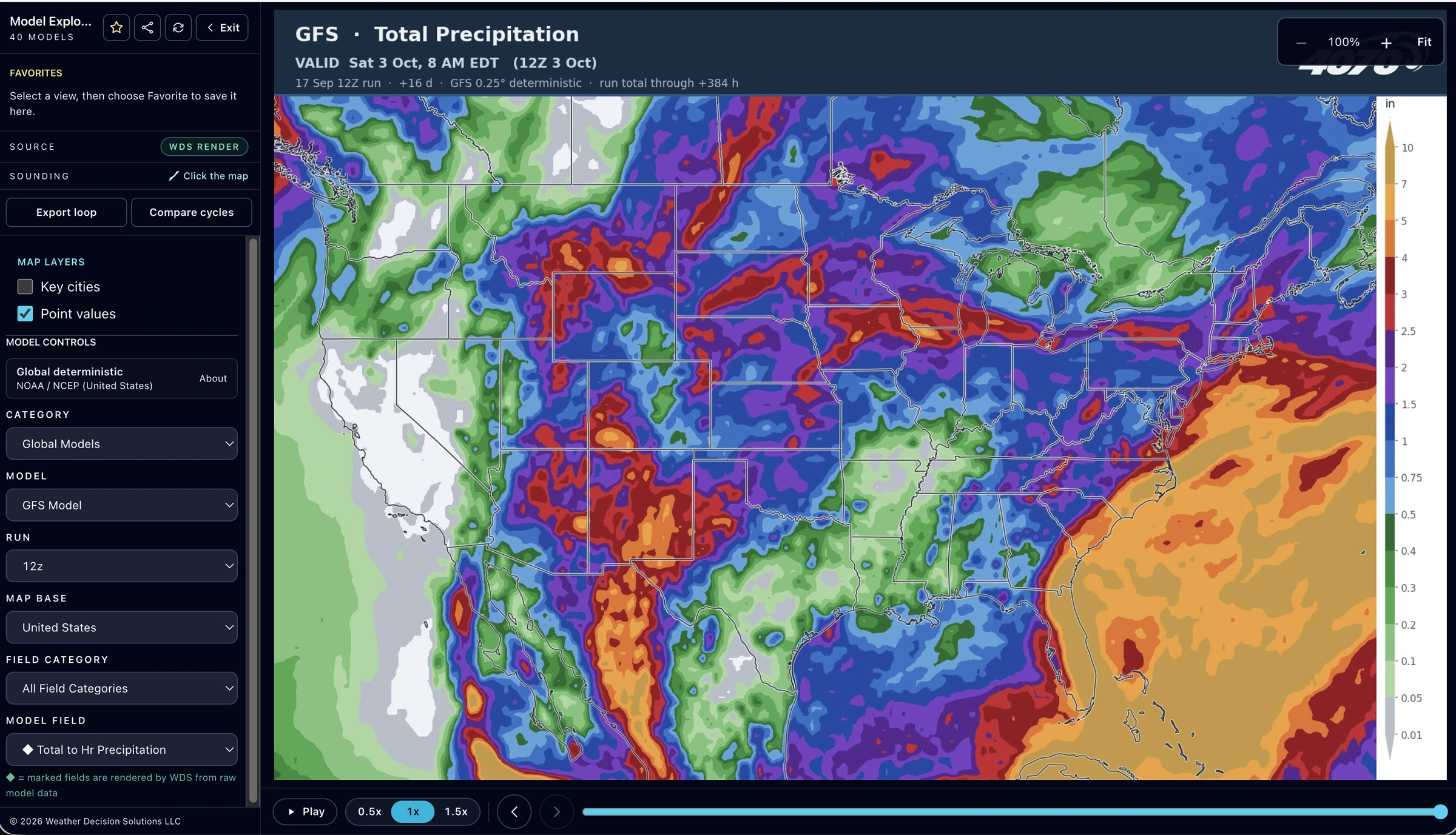
Choose a model, field and run, then switch guidance without losing the valid time.
View two compatible models at the same forecast hour, then click a point for its hourly forecast.
Wipe between earlier and newer runs at the same valid time to spot changes in the storm track.
Show cities and read values, units and forecast times on supported model maps. Unsupported maps clearly mark point values unavailable.
Browse forecast and analysis maps outside the model catalog with each source and valid time visible.
Open a Skew-T, hodograph, severe ingredients and plain-language read. Supported WDS-rendered GFS and HRRR maps keep your point pinned across forecast hours.
Export a loaded Model Explorer loop as a GIF labeled with its model and timing for saving or sharing.
Save personal Model Explorer and Maps selections to reopen in later signed-in sessions.
Pro / 04
Move from observed radar into short-range guidance, severe context, storm structure and tropical tracks.
Replay observed radar with lightning and warnings, then continue into HRRR forecast frames on the same timeline.
Open built-in everyday, severe, winter, tropical or analytical layers, or save a personal scene that follows your account across devices.
WDS threat cones use multi-hazard SIX levels beside official watches and warnings, never as their replacement.
Draw around a storm to inspect its height, core, lean or a vertical slice. Web 3D requires supported graphics; native 3D is not included.
Compare a current cyclone with similar historical paths. The NHC or CPHC track remains the official forecast.
View experimental WDS tropical guidance beside official products, with its source, timing and confidence limits visible.
Follow GEFS, ECMWF ENS and AIFS ENS member tracks and experimental consensus. These are model runs; NHC or CPHC remains official.
Pro / 05
Use your station history and signed-in guides to understand what you are seeing.
Connect a compatible station for current readings, history, records and storm recaps.
After about 14 quality-checked days, compare your station’s lows, highs and rainfall with a chosen official reference.
Search guides approved for your current workspace and tools, including interpretation, availability and troubleshooting.
Optional forecaster memberships
Follow the people whose forecasts you look forward to. Get their forecasts for your location, understand their thinking and join the conversation for $5/month on top of Pro, one forecaster at a time. Choose one when you sign up or add one later in Settings. Every Pro tool is available with Pro alone.
Henry Margusity’s forecast discussions and a community that shares your excitement for the next storm.
Meet Henry and Weather Madness
Brandon Dougherty’s local forecasts and a community following Delaware weather together. Data Over Drama.
Meet Brandon and Delaware Weather GuyNew to reading models? Start with the weather model guides and the model pages.
No. Pro includes every tool listed here for $14.95/month after its seven-day free trial. A forecaster membership adds their forecasts and community for another $5/month. Pro plus a forecaster is $19.95/month after the seven-day free trial.
No. You can use the Pro tools you saw, explore your own locations and follow the weather yourself. A forecaster membership is only needed for that forecaster’s subscriber forecasts and community.
Choose a forecaster when you start Pro and both are free for seven days, then $19.95/month (or $219.45/year). Already a member? Add a forecaster in Settings. On a monthly membership nothing is charged that day: the rest of the month and then $5 a month are added to your Pro bill. On a yearly membership the rest of your year is charged that day, then $55 a year.
One at a time. To switch, remove your forecaster in Settings, then choose the other one.
Choose a forecaster who covers your area to get their published forecasts and join their community. Coverage and publications vary by forecaster; your Pro tools remain available independently.
Start your seven-day free trial from the signup page: choose your plan and your first location. Existing members keep using the member sign-in.
Start your free trial4070 Assistant weather Q&A is part of the planned Pro experience. Chat, forecaster communities and forecast publications depend on your membership.
It shows regional monthly temperature and precipitation guidance. Meteograms, plumes and your saved-location forecast give you the local view at shorter ranges.
No. A dedicated meteorologist comes with WDS Business+, a separate business service from Weather Decision Solutions. Pro includes the tools; forecaster memberships add their forecasts, briefings and communities.
Weather for work
For a business, WDS Business brings site forecasts, operational alerts, snowfall records and certified snow reports to your team for $249 a month, and WDS Business+ adds a meteorologist you can call for $499 a month.
Compare WDS business plans